I used to use Spotify exclusively, but recently switched to an iPhone to try Apple Music. The US catalogs of both services are roughly comparable (though Spotify’s is slightly more comprehensive).
The latest version of Apple Music now supports importing playlists or libraries from “other music services” using built-in features—you don’t need third-party tools. The most direct entry point is “Transfer Music from Other Music Services” inside Apple Music. Here’s how to do it.
How to import
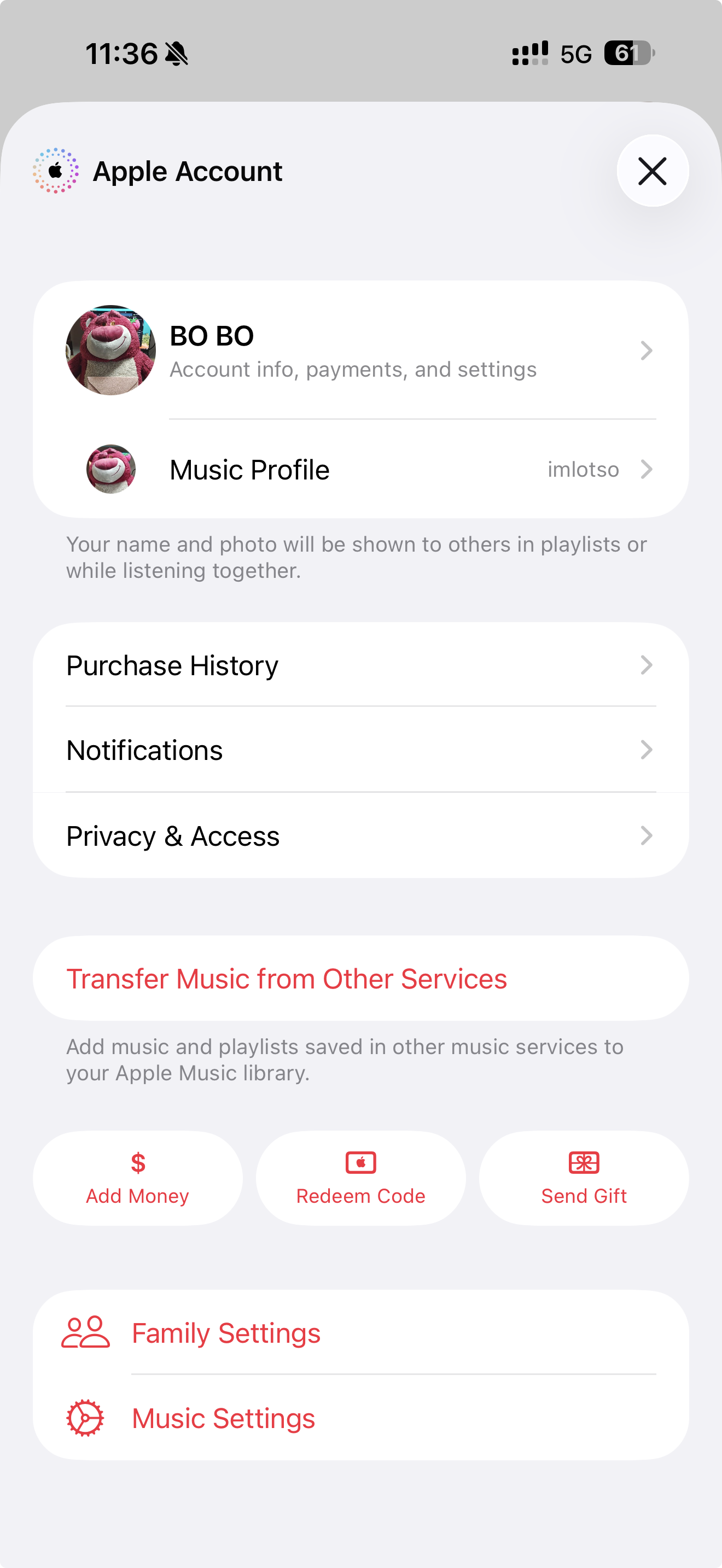
Open Settings > Apps > Music, then tap Transfer Music from Other Services. On the English Apple Music app, tap your profile icon in the top-right corner, then go to Transfer Music from Other Services.
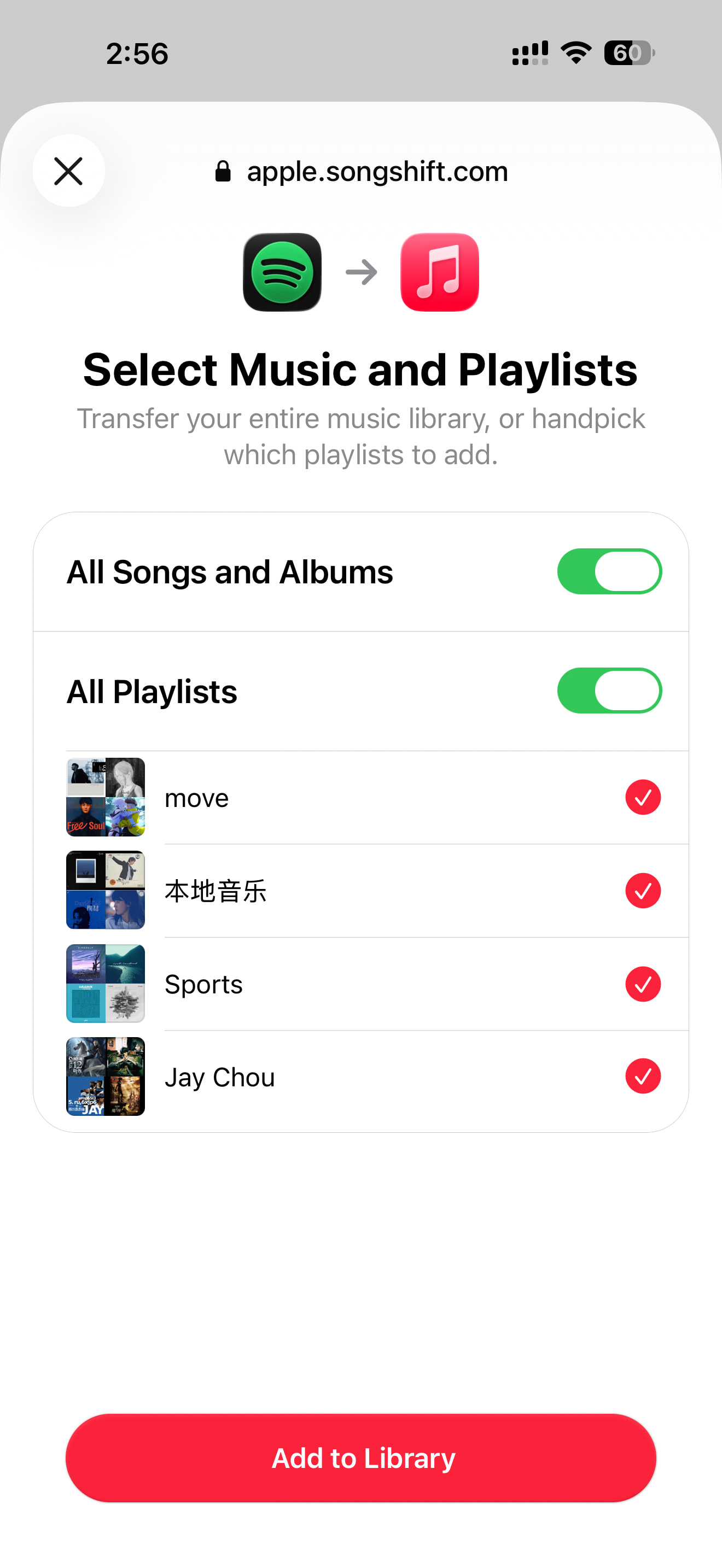
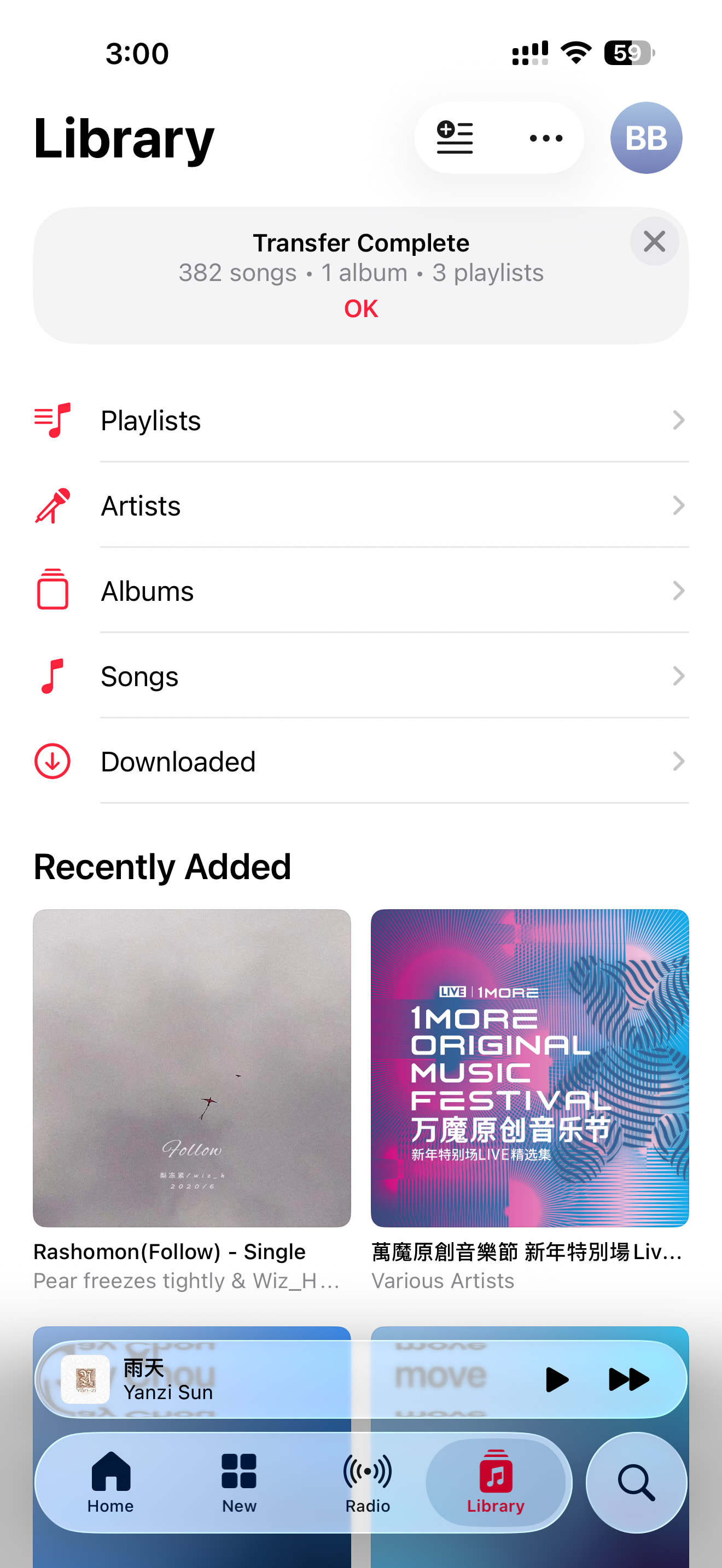
Select the supported music service and log in, check the content you want to transfer, then tap Add to Library. Apple Music will automatically match songs from its catalog and import them.
If you find that your liked-songs list isn’t included in the imported playlist, my workaround is: create a new playlist (move your liked songs there first), then repeat the steps above, and your liked-songs list will be imported.
On the web version, go to music.apple.com, click the account button in the top-right corner, select Transfer Music, then follow the prompts to complete the import.
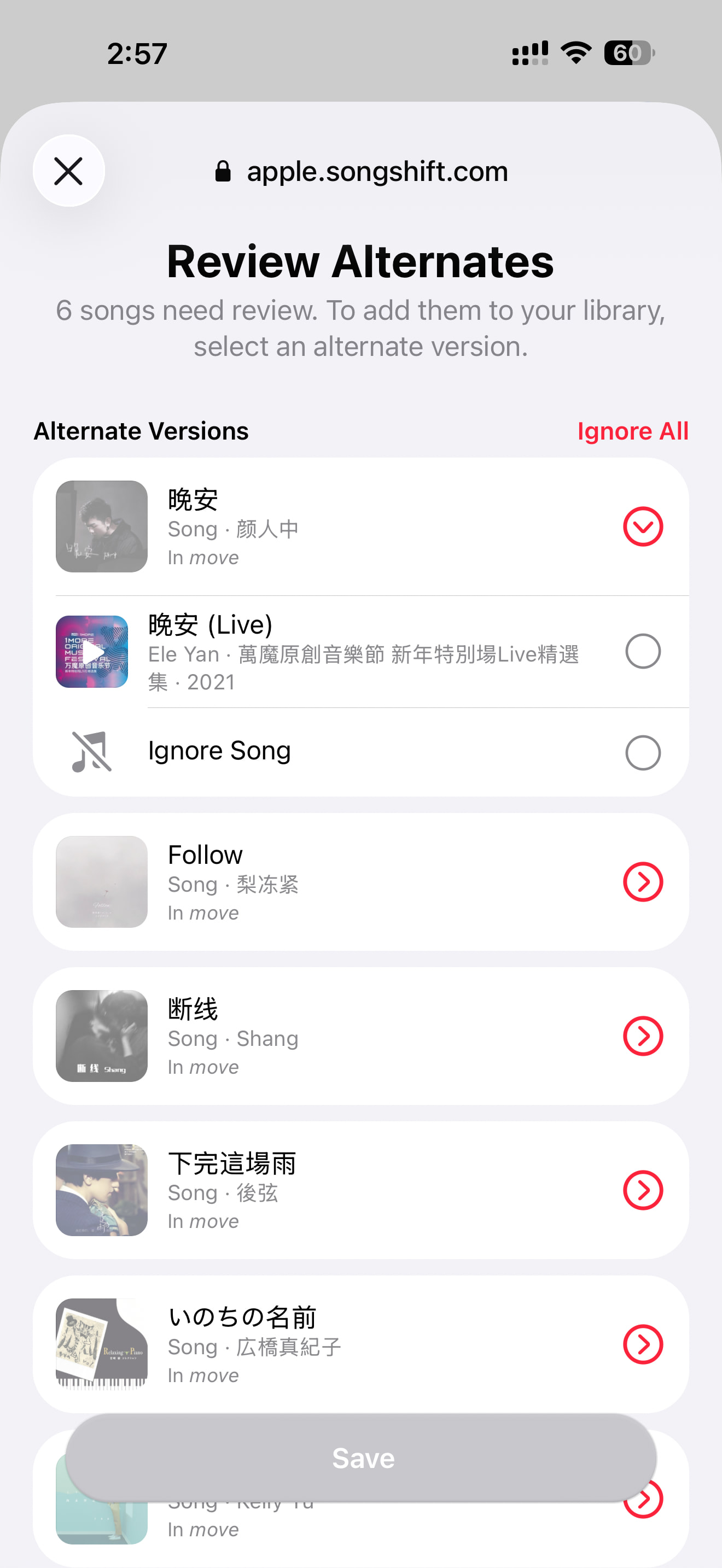
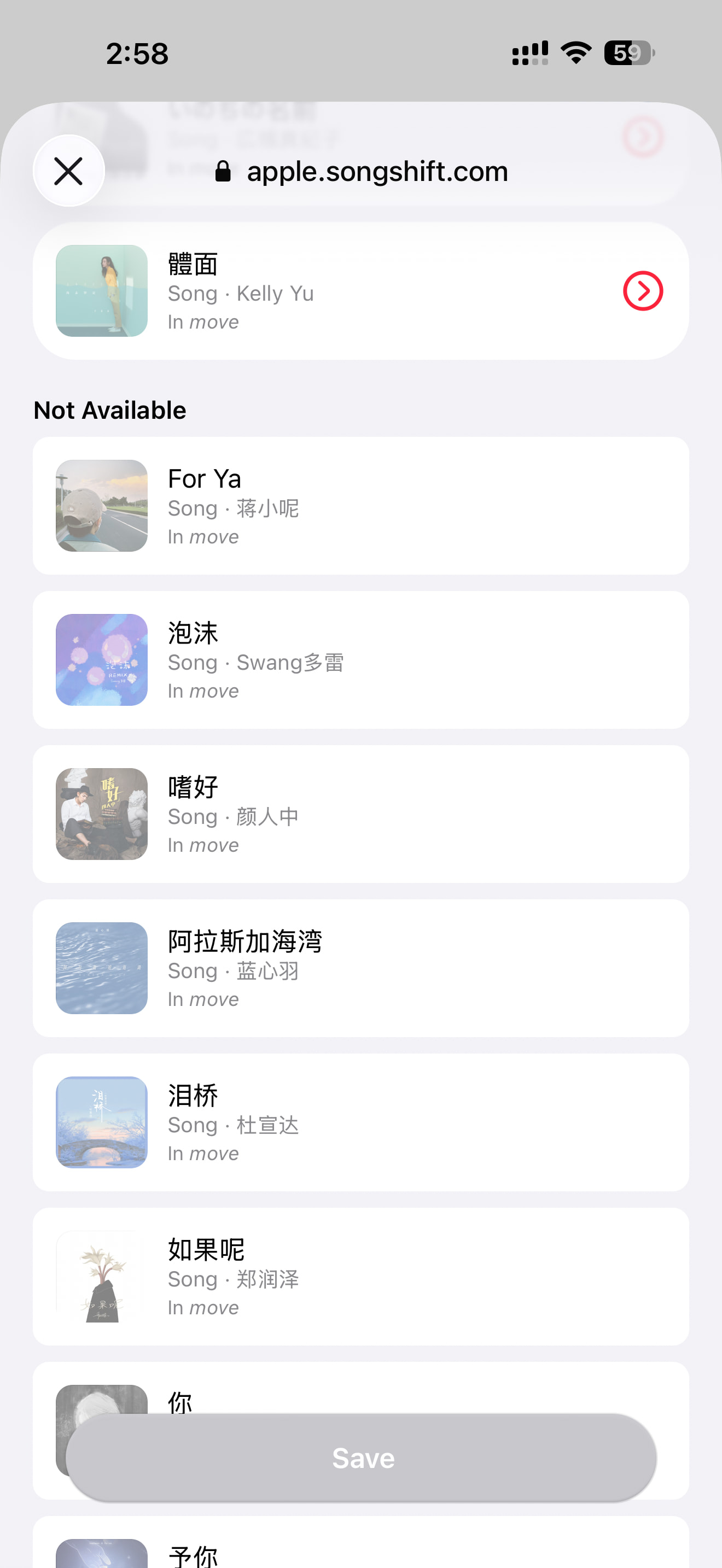
If some songs don’t have an exact match in Apple Music, it will suggest similar versions for you to review and save manually. As expected, Spotify’s catalog is more comprehensive.
Limitations
- According to official documentation, what gets transferred is mainly your own created playlists or library content. What’s actually imported are songs that can be matched within Apple Music’s catalog.
- The original music files aren’t directly copied. Content such as podcasts, audiobooks, or user-uploaded audio typically cannot be transferred to Apple Music.
- If your account is a Kids account or a Managed Apple Account, this transfer service cannot be used.
My experience
-
I have the US Family Plan, costing around $30–60 per quarter. In terms of price, audio quality, copyright, and overall experience, domestic Chinese music apps simply can’t compare.
-
The closest alternative is Spotify. The US Individual plan runs about $100 per year (roughly ¥20 more than Apple Music), and I’ve had an excellent two-year experience with seamless multi-device switching and continuous playback across car systems, watches, speakers, TVs, and game consoles. For example, new album releases are available simultaneously on both Spotify and US Apple Music (they don’t appear on Chinese Apple Music—allegedly due to Tencent’s three-month exclusive licensing rights).
-
If I had to choose one, my recommendation would be: if you’re in the Apple ecosystem, Apple Music is definitely the best choice. If you’re on Android, Spotify offers the best experience.

At the end of this article, I hope the content has been helpful to you. For us heavy music listeners, it’s not just about hearing something, right?