 Xiaoxiaoguai License Key Verification System Pro
 A New Generation of License Key Verification Solutions - Now Available! - Completely Free - Team-maintained and Updated




 Rebuilt with the latest tech stack — 300% performance boost with a completely upgraded user experience!
 Try It Now ·
  View Documentation ·
  Report Issues ·
  Join Discussion
 Quick Deployment Guide
This project offers four flexible deployment options to suit different scenarios.
Method 1: Linux One-Click Script Installation (Recommended )
Compatible with CentOS 7+ / Debian 10+ / Ubuntu 20.04+ systems — fully automatic environment configuration.
# Download and run the installation script

curl -O https://raw.githubusercontent.com/xiaoxiaoguai-yyds/xxgkami-pro/refs/heads/master/install.sh && chmod +x install.sh && sudo ./install.sh
Script Features:
-
 Automatically detects network environment (auto-switches between GitHub/Gitee mirrors)
 -
Automatically installs JDK 17, MySQL 8.0, Nginx, and Node.js environments
-
Automatically compiles frontend and backend code and configures Systemd for startup
-
Automatically configures Nginx reverse proxy and static resource hosting
Method 2: Docker Containerized Deployment (Coming Soon  )
)
Ideal for users familiar with Docker — environment isolation and quick startup.
Note: The Docker image build process is currently being optimized — stay tuned!
-
Install Docker & Docker Compose
-
Download docker-compose.yml
-
Start the services
# Coming soon

# docker-compose up -d
Method 3: BT Panel Deployment (Compiled Version)
For servers already running the BT Panel — deploy quickly using pre-compiled artifacts.
-
Download compiled artifacts: Download the latest
backend.jaranddist.zipfrom Releases. -
Backend Deployment:
-
Add the project in BT Panel’s “Java Project” section.
-
Upload
backend.jarand select JDK 17. -
Configure port
8080and set the database connection info (inapplication.properties).
- Frontend Deployment:
-
Add a static site in BT Panel’s “Website” section.
-
Upload and extract
dist.zipto the website root directory. -
Configure Nginx reverse proxy:
location /api {

proxy_pass http://localhost:8080/api;

}
Method 4: Manual Compilation and Deployment
For developers or scenarios requiring deep customization.
Prerequisites: JDK 17+, Maven 3.8+, Node.js 18+, MySQL 8.0+
- Clone the repository
git clone https://github.com/xiaoxiaoguai-yyds/xxgkami-pro.git

cd xxgkami-pro
- Backend compilation
cd backend

# Modify the database configuration in src/main/resources/application.properties

mvn clean package -DskipTests

java -jar target/backend-0.0.1-SNAPSHOT.jar
- Frontend compilation
cd ../

npm install

npm run build

# Build output is located in the dist/ directory; you can host it with Nginx
 Feature Modules
 Admin Backend
-
 Dashboard - Real-time statistics panel for full visibility
 -
 License Key Management - Batch generation, export, and status management; supports multiple license types
 -
Order Management - Real-time order monitoring, status tracking, and reissuance
-
 API Management - Generate interface keys, access control, and WebHook callback configuration
 -
 System Settings - Website information, payment integration, and email notification setup
 -
 Security Center - IP whitelist/blacklist and access log auditing
 User Center
-
 Personal Panel - Account overview and recent activity logs
 -
 Purchase Center - Browse and purchase license keys online; supports multiple payment methods
 -
 License Verification - Quickly verify license validity and view usage instructions
 -
 Wallet Management - Balance top-up and transaction history
 -
 My Licenses - Purchase history and one-click copy
Developer APIs
-
License Verification API - Standardized RESTful interface for easy integration
-
Status Query API - Real-time query of license status and remaining uses/time
-
 WebHook Callback - Real-time push notifications for license redemption
 -
Secure Authentication - API Key signature authentication to ensure data security
Use Cases
 Software Licensing
-
 Desktop software activation
 -
Mobile app licensing
-
 In-game item verification
 -
 Plugin feature unlocking
 Online Education
-
 Course access control
 -
 Video viewing permissions
 -
 Exam system verification
 -
 Certificate issuance management
E-commerce Platforms
-
 Coupon system
 -
 Membership benefits management
 -
 Flash sale controls
 -
 VIP service activation
Performance Comparison
| Feature | Previous Version | New Pro Version | Improvement |
|---------|----------------|-----------------|-------------|
| Page Load Speed | 3.2s | 0.8s | 300%  |
|
|  Memory Usage | 120MB | 45MB | 62%
  |
|
| Data Processing | 1000/s | 5000/s | 400% |
|  Concurrency Support | 100 | 1000 | 900% |
| Mobile Responsiveness | 60% | 100% | 40% |
 Development Roadmap
Phase 1 (Current)
-
Core functionality refactored
-
Modern UI design
-
Basic API interfaces
-
User system enhancements
-
Payment system integration
Phase 2 (2025 Q1)
-
Mobile app
-
WeChat Mini Program
-
Advanced analytics
-
Multi-language support
-
Plugin system
Phase 3 (2025 Q2)
-
AI-powered recommendations
-
Blockchain integration
-
Cloud-native deployment
-
Enterprise-grade features
-
Open platform
 Contributing
All forms of contributions are welcome!
How to Contribute
-
 Fork the repository
 -
 Create a feature branch (
git checkout -b feature/AmazingFeature) -
Commit your changes (
git commit -m 'Add some AmazingFeature') -
 Push to the branch (
git push origin feature/AmazingFeature) -
Open a Pull Request
Contributors
Thanks to all the developers who have contributed to this project!

 Contact Us
Community
-
 Official Support Group:
 1050160397(After-sales/Technical Support) -
 Contact Email:
 xxgyyds@vip.qq.com

 Official Links
 License
This project is released under the MIT License.
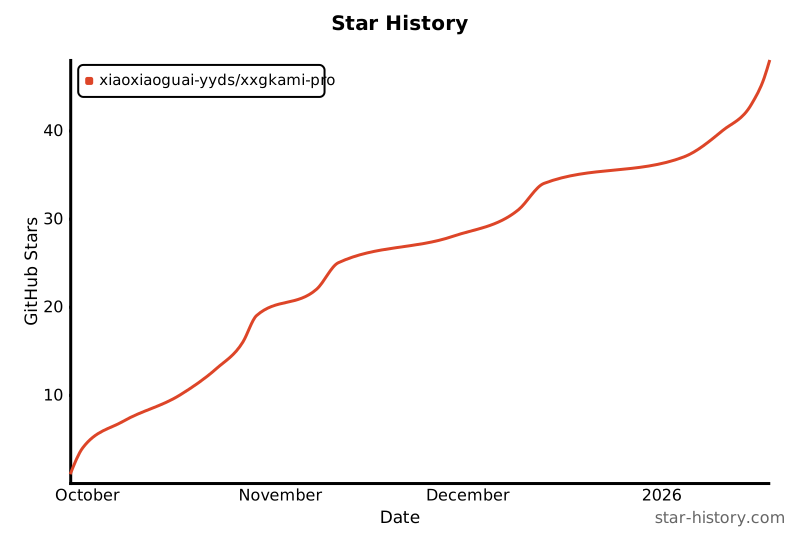
 Star History
 Thank You for Your Interest!