Introduction
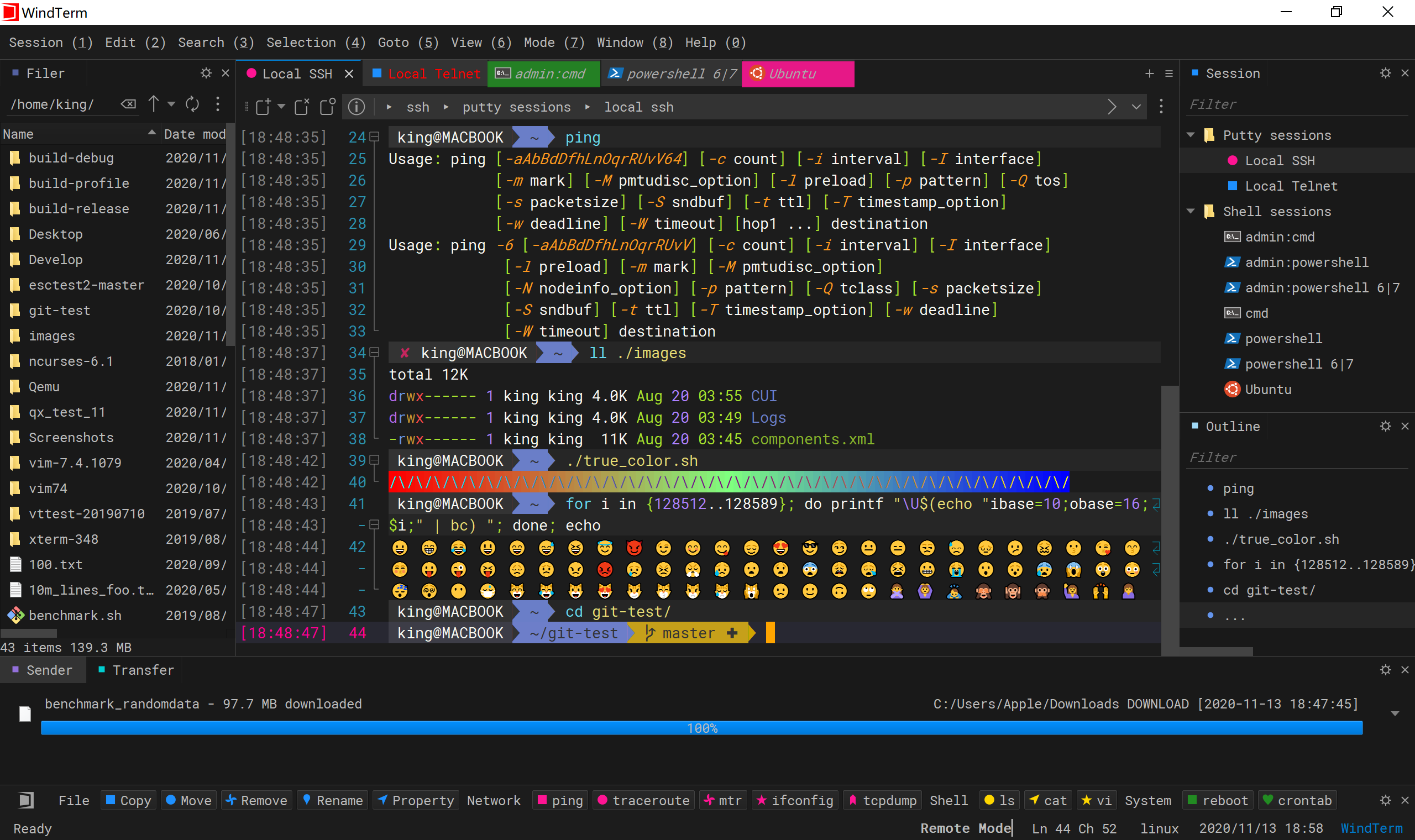
WindTerm is an open-source terminal management tool for Windows, Linux, and macOS, supporting multiple protocols such as SSH, Telnet, Serial, and SFTP. It provides features including multi-tab support, port forwarding, script automation, and session management. With its clean interface and flexible configuration, it is well-suited for daily use by operations and development staff. The forum moderator has been using it for a long time and recommends it to everyone.
Project URL:
Core Features
- Multi-Protocol Support: SSH (password / key), Telnet, Serial, SFTP
- Multi-Tab & Split Screen: Manage multiple sessions in parallel within the same window
- Session Management: Supports session grouping, quick switching, saving and exporting sessions
- Scripts & Automation: Built-in script panel for executing custom command sequences
- Port Forwarding: Supports local and remote port forwarding, secure tunnel configuration
- File Transfer: Integrated SFTP with drag-and-drop upload/download
- Logging & Output Filtering: Built-in keyword highlighting and regex filtering
- Session Records: Record and replay terminal interaction history
- Drag-and-Drop Upload: Drag files directly into the terminal to upload
Installation and Quick Start
- Download and Extract
- Download the latest ZIP package from the Releases page and extract it to any directory. The latest version is 2.7.0 — click to download directly.
- First Run
- Simply double-click
WindTerm.exeto launch; no installation is required.
- Simply double-click
- Create a New SSH Session
- Click “New Session” in the top-left corner → select “SSH”.
- Enter the host address, port (default 22), username, and import or enter your private key.
- Optional configurations:
- Tab Name: Helps distinguish between multiple connections
- KeepAlive, reconnection policy and other advanced options
- Click “Connect” to establish the connection.
- Common Operations
- Split Screen: Right-click on a tab → Split Horizontally / Vertically
- Port Forwarding: Session → Port Forwarding → Add Rule
- Script Execution: View → Script Panel, double-click a script or drag commands in
Switch to Chinese
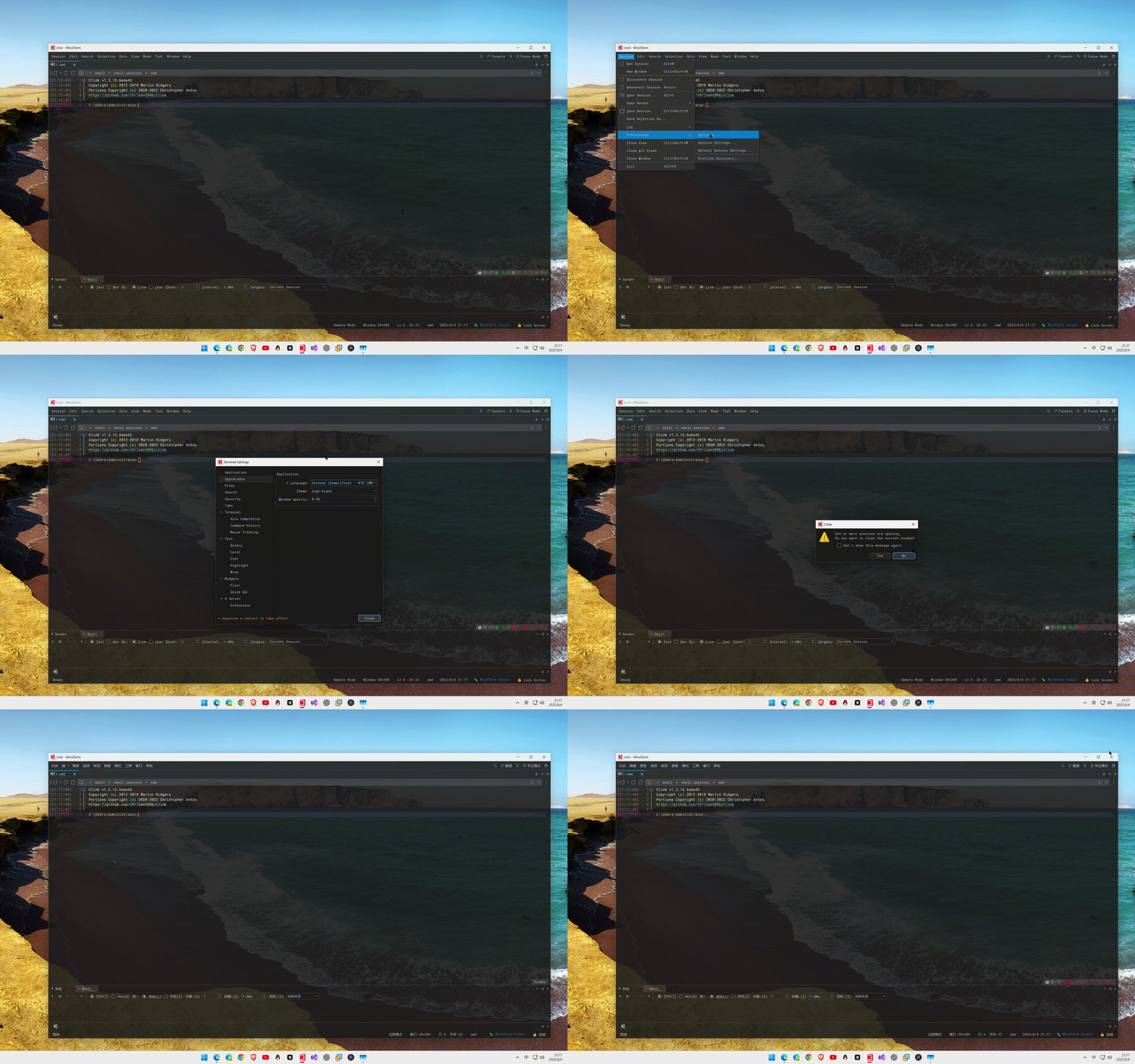
The default language is English. Click session PreferencesSettingsappearance and select Chinese, then restart the software.
Conclusion
WindTerm, with its zero-installation, zero-dependency, multi-protocol support, and rich feature set, is an excellent alternative to PuTTY and MobaXterm. Its lightweight, easy-to-use, and extensible nature significantly boosts operational efficiency.
That’s all for this issue. If this article was helpful to you, please give it a like  and show your support! Join the discussion#general::channel
Copyright: This is an original article. Please cite the original link when quoting. Full copying and pasting is not allowed.